Soft
A useful pause
See your intention, reconsider the tap and keep a five-minute escape available.
Best for everyday focus
Screen Time for iPhone
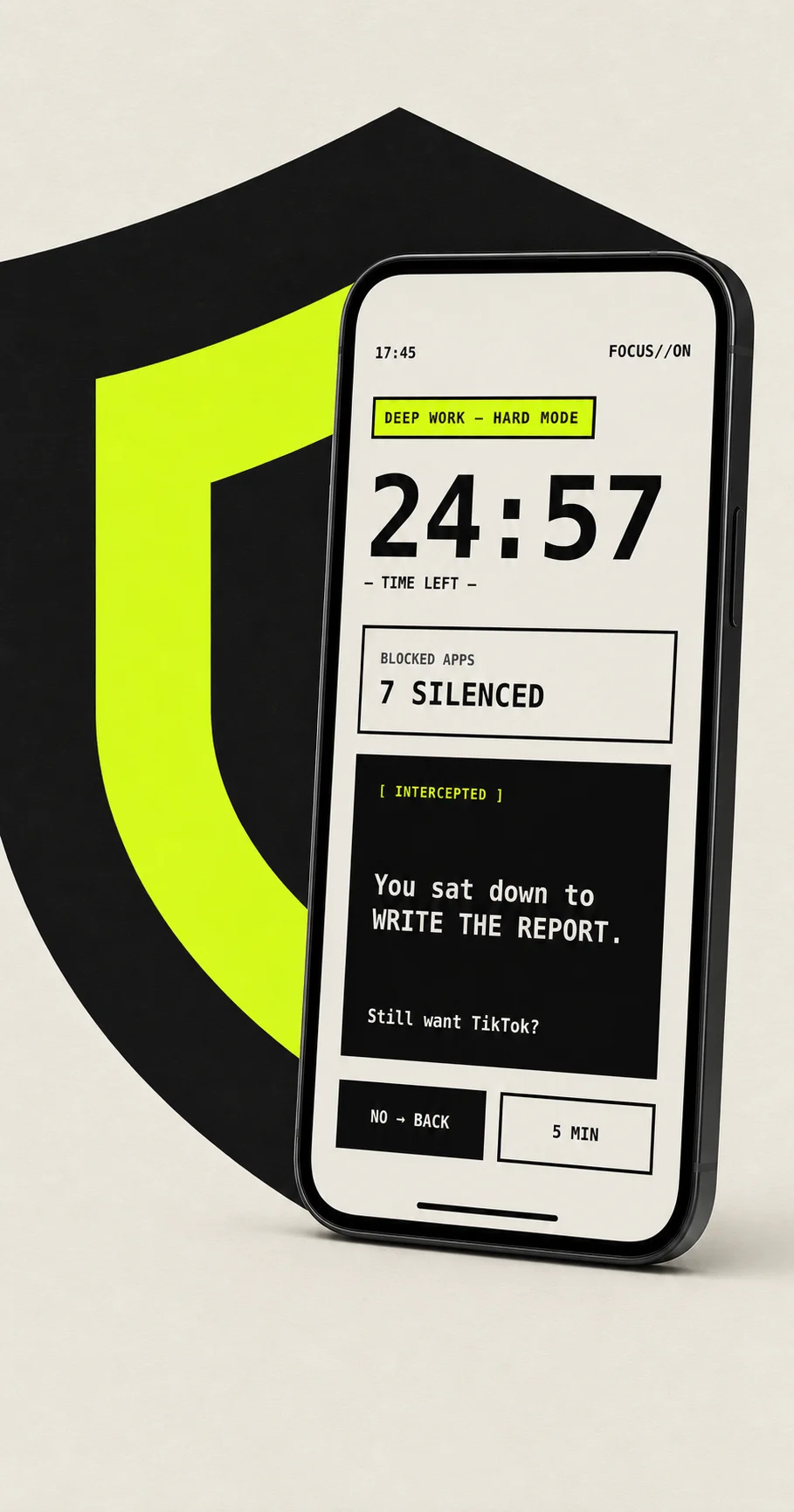
Just This blocks the feed before it opens and returns the intention you chose.
Apple Screen TimeNative app shielding
On-deviceNo account or server
No streaksFocus without another loop
You set the boundary while your priorities are clear. Just This holds it when the impulse arrives.
Choose your boundary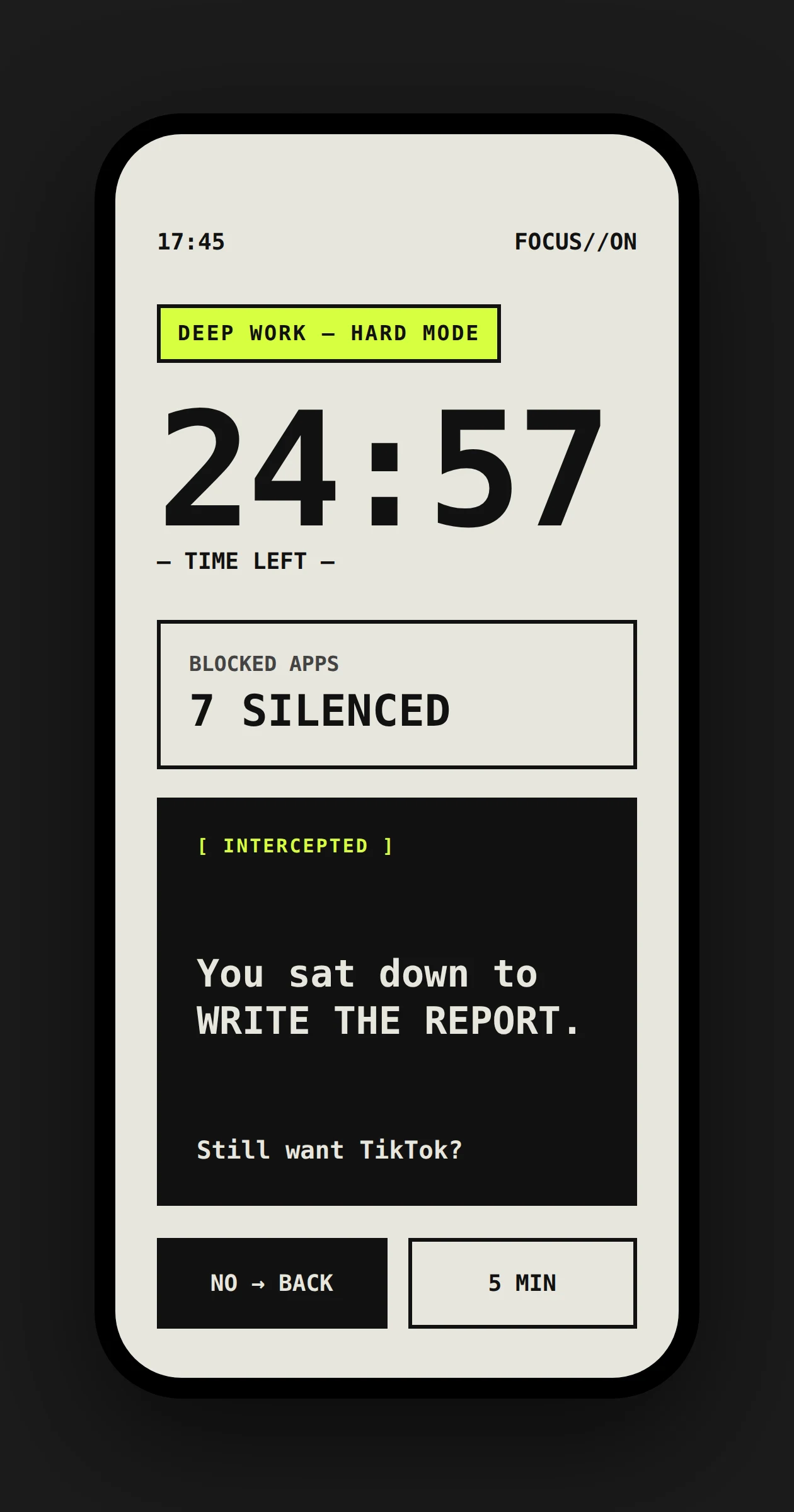
Four moments, one protected decision.
Set a duration, select the apps and write one concrete intention.
Your thumb follows the familiar path toward a distracting app.
Screen Time keeps the app closed before the feed can take over.
Your own intention comes back into view, right when it matters.
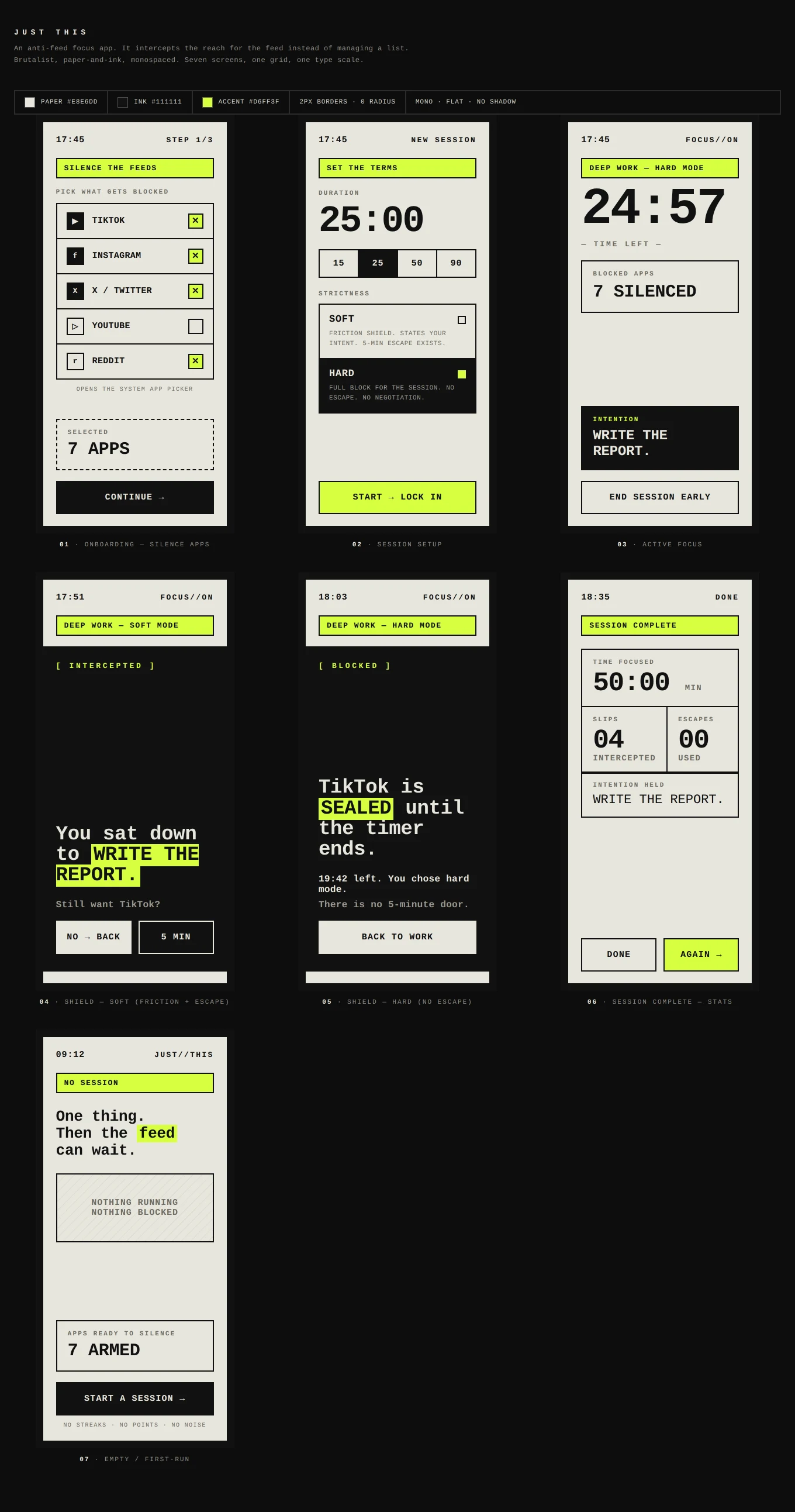
Strictness belongs to the session, not to your identity.
Soft
See your intention, reconsider the tap and keep a five-minute escape available.
Best for everyday focus
Hard
Selected apps stay sealed for the session, with no in-app bypass.
Best for demanding work
Locked
The session runs until the timer ends. There is no early exit.
Best for firm commitments
Uses Apple controls to shield only the apps you select.
Intentions, schedules and history never go to a Just This server.
No streaks, points, ads or notifications asking you to return.
One subscription
Every mode, profile and recurring schedule. Nothing held back for another tier.
Permissions, privacy, modes and billing.
A to-do app waits for discipline. Just This acts when your thumb reaches for a feed. It protects the earlier decision instead of adding another list.
Yes. Just This uses Apple Screen Time frameworks to shield the apps you choose for the length of a focus session.
Soft mode adds a deliberate pause and keeps a five-minute escape. Hard mode removes the in-app bypass until the session ends.
Soft mode includes an escape by design. Hard and locked sessions remove the in-app exit, within the controls iOS makes available.
No. There is no account or Just This server. Your selected apps, intentions, schedules and history stay on your iPhone.
None. Just This does not turn focus into another engagement loop.
Any apps available through the protected iOS system picker, including TikTok, Instagram, X, YouTube and Reddit.
Screen Time is the Apple-approved way to shield selected apps. The permission cannot reveal messages, posts or browsing inside them.
Just This costs $4.99 per week or $29.99 per year. The yearly plan includes a 7-day free trial.
Every mode, app profile, recurring schedule, history view and focus insight is included in one subscription.
Yes. New yearly subscribers receive a 7-day free trial and can cancel in App Store settings before it ends.
Open iPhone Settings, tap your name, then Subscriptions. Cancelling stops the next renewal and keeps access through the current period.
Set the boundary before the next impulse arrives.